Snowflake Dynamic Data Masking
Snowflake Dynamic Data Masking (DDM) rewrites query results for unauthorized roles. The cleartext stays in the table. A role-based predicate decides what reaches the user. Policies are defined per column and evaluated at read time.
A simple masking policy in Snowflake:
-- Create a masking policy for email addresses
CREATE OR REPLACE MASKING POLICY email_mask AS (val STRING)
RETURNS STRING ->
  CASE
    WHEN CURRENT_ROLE() IN ('ADMIN', 'DATA_ANALYST') THEN val
    ELSE REGEXP_REPLACE(val, '.+@', '*****@')
  END;

-- Apply the masking policy to a column
ALTER TABLE customers
MODIFY COLUMN email SET MASKING POLICY email_mask;
Limitations
The model is clean. The gaps show up in the bill and in day-two operations.
1. Edition gate and cost
DDM is part of Column-level security, gated behind Enterprise edition or Business Critical. Standard has none. Here is the pricing implication:
| Edition | Price per Credit | Cost Increase | DDM Available |
|---|---|---|---|
| Standard | $2 | - | ❌ |
| Enterprise | $3 | +50% | ✅ |
| Business Critical | $4 | +100% | ✅ |
A Standard-edition fleet pays a 50% per-credit increase to turn on DDM. That increase hits every workload, not just the masked queries.
2. Policy management at scale
DDM runs into three operational gaps at scale. Policies proliferate: one per sensitive column, with no aggregation. Snowsight ships no DDM UI, so every policy lives in SQL. Policy edits and exemption grants have no built-in audit trail.
-- Example of policy complexity with multiple roles and conditions
CREATE OR REPLACE MASKING POLICY customer_pii_mask AS (val STRING)
RETURNS STRING ->
  CASE
    WHEN CURRENT_ROLE() = 'DATA_OWNER' THEN val
    WHEN CURRENT_ROLE() = 'ANALYST_SENIOR' AND
         CURRENT_WAREHOUSE() = 'ANALYTICS_WH' THEN val
    WHEN CURRENT_ROLE() = 'CUSTOMER_SERVICE' AND
         CURRENT_TIME() BETWEEN '09:00'::TIME AND '17:00'::TIME THEN
         CONCAT(LEFT(val, 3), '***', RIGHT(val, 2))
    WHEN CURRENT_ROLE() IN ('ANALYST_JUNIOR', 'INTERN') THEN '***MASKED***'
    ELSE NULL
  END;
Alternatives to Snowflake Dynamic Data Masking
Two alternatives sidestep the edition gate.
1. Database Views
Database views deliver masking on Standard edition. A view wraps the base table. You grant access to the view, not the table, and the role-based logic and masking functions live inside the view's SELECT.
-- Create a masked view for customer data
CREATE OR REPLACE VIEW customers_masked AS
SELECT
    customer_id,
    customer_name,
    CASE
        WHEN CURRENT_ROLE() IN ('ADMIN', 'DATA_ANALYST')
        THEN email
        ELSE REGEXP_REPLACE(email, '.+@', '*****@')
    END AS email,
    CASE
        WHEN CURRENT_ROLE() = 'FINANCE_ADMIN'
        THEN credit_card_number
        WHEN CURRENT_ROLE() = 'CUSTOMER_SERVICE'
        THEN CONCAT('****-****-****-', RIGHT(credit_card_number, 4))
        ELSE '****-****-****-****'
    END AS credit_card_number,
    registration_date
FROM customers;- Pros. No edition gate. Works on Standard.
- Cons. The view count grows with every variation. And there is no enforcement: anyone with
SELECTon the base table still sees cleartext.
2. Bytebase
Snowflake gates DDM behind Enterprise (+50% per credit) or Business Critical (+100%). Standard has none. Bytebase Dynamic Data Masking applies the same masking model on Standard or Enterprise, without the edition upgrade.
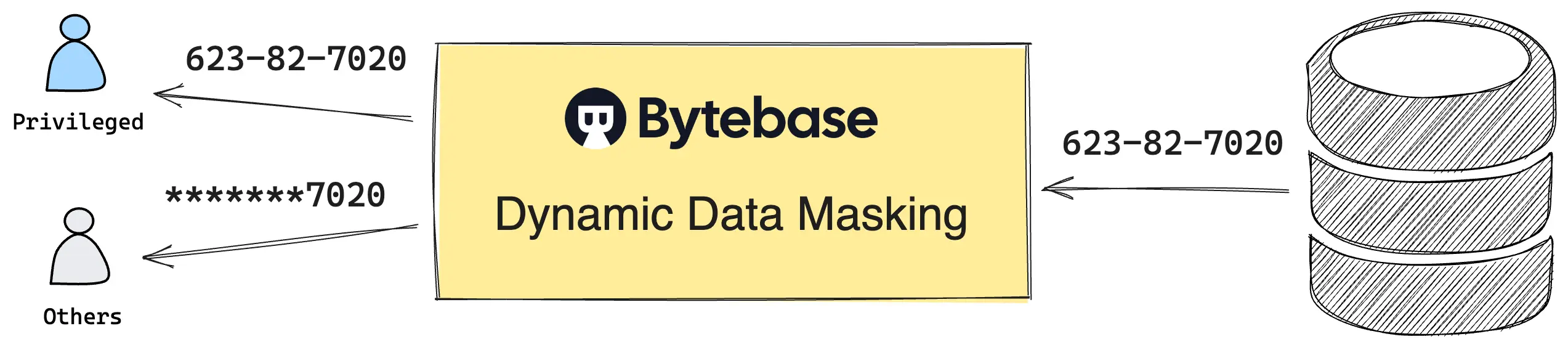
The mechanism. Queries route through Bytebase's SQL Editor. Bytebase masks the result before it returns to the user. Snowflake's MASKING POLICY objects are not used, and nothing changes inside the warehouse. Policies are managed in a web UI, via Terraform, or via REST API.
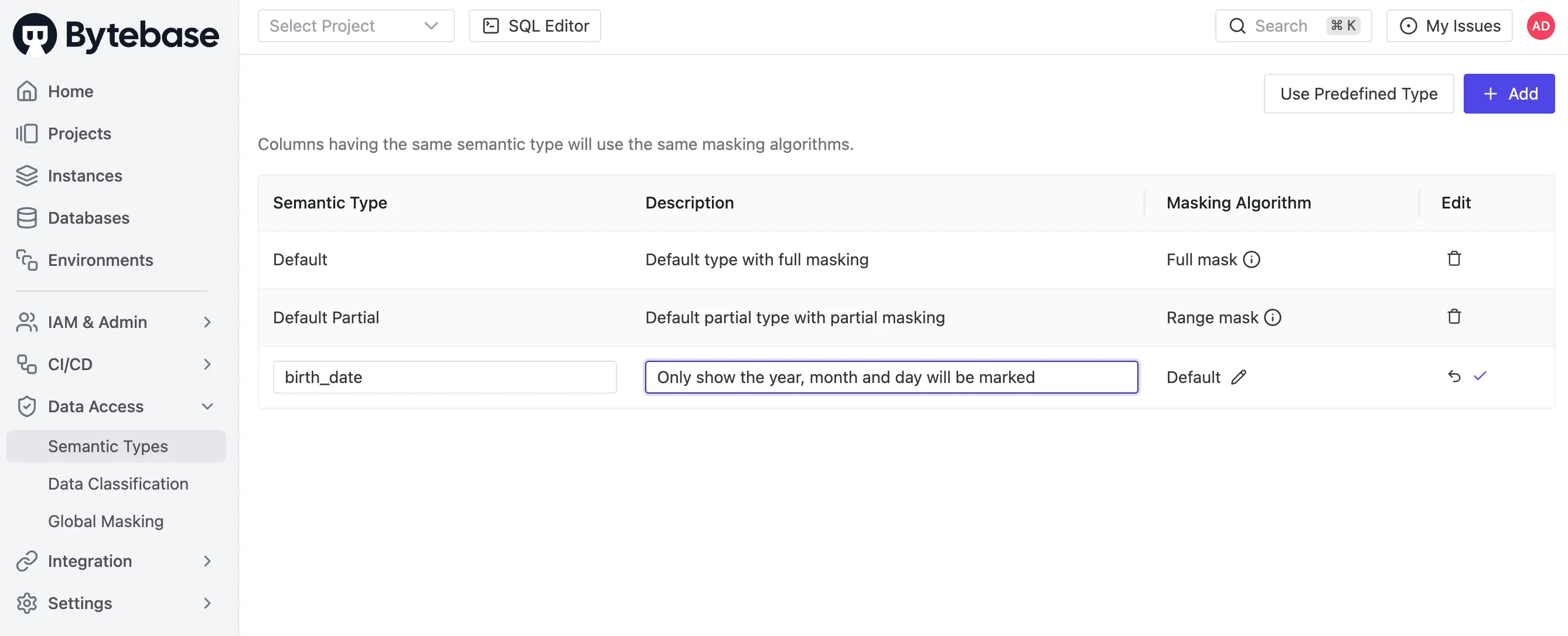
The policy model. Three layers, fixed precedence: Masking Exemption > Global Masking Rule > Column Masking.
- Global Masking Rule. Workspace-level. Rules evaluate top-down, first match wins. Match conditions span environment, project, database, and data classification. One rule covers every Snowflake account in the fleet, plus the Postgres and MySQL clusters next to it.
- Column Masking. Project-level override on a specific column when the global rule does not apply.
- Masking Exemption. Named users receive time-bound
QueryorExportexemptions. Service accounts are not eligible. Every grant logged. Every access logged.
The workflow. Request. Review. Approve. Exemption requests, policy edits, and grant decisions are first-class audit events, recorded alongside the SQL execution itself.
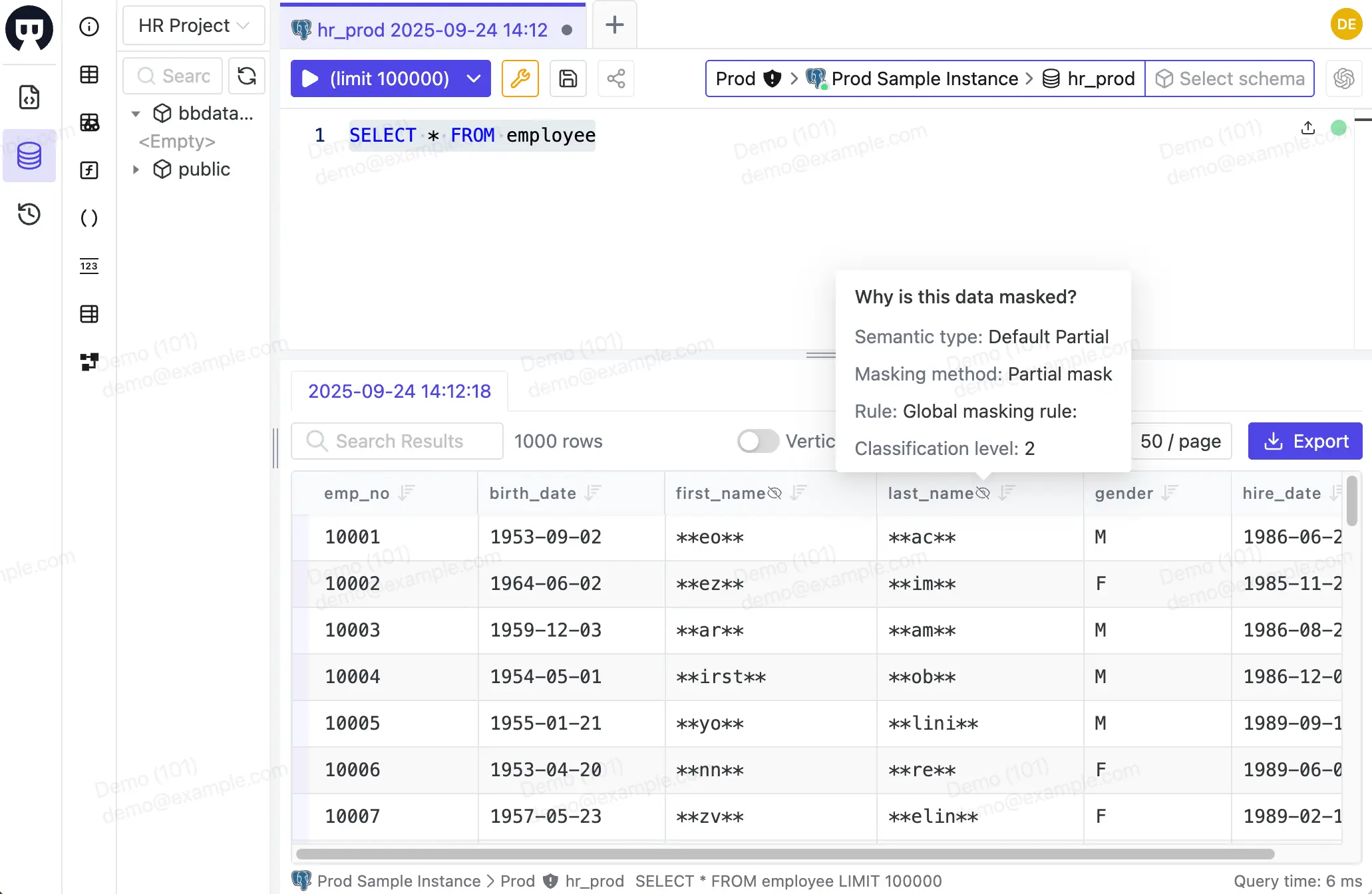
Enforcement boundary. This is the part to be honest about. Masking applies only to queries routed through the SQL Editor. Service accounts and direct connections to Snowflake (BI tools, application code, scheduled jobs) bypass Bytebase entirely. Bytebase covers the human query path, not service-to-warehouse traffic. Where service accounts must also be governed, native DDM remains the right tool.
Where Bytebase fits:
- Standard-edition fleets that can't justify the +50% Enterprise upgrade for masking alone.
- Multi-engine fleets where Snowflake sits alongside Postgres, MySQL, or SQL Server. One policy model. Every engine.
- Teams that need approval workflow and audit trail over query access, which native DDM does not provide on top of its column rewrite.
Comparison
| Solution | Cost | Operational Complexity | Human Access | Service Access |
|---|---|---|---|---|
| Snowflake DDM | High (+50% for Enterprise) | High (SQL-only, no UI) | Enforced | Enforced |
| Database Views | None | Very High (View proliferation) | Enforced | Enforced |
| Bytebase | Low (10% of Enterprise edition) | Medium (UI + API/Terraform) | Enforced | Not enforced |
It comes down to the trade-off. Snowflake DDM covers every access path, at the cost of an Enterprise upgrade. Bytebase covers the human query path at a fraction of that cost, and extends the same model across Postgres, MySQL, and SQL Server alongside Snowflake. On Standard, with a multi-engine fleet, or where approval workflow matters, Bytebase complements native DDM rather than replacing it.