When evaluating database management tools, Navicat and Bytebase represent two different philosophies: individual desktop productivity versus team collaboration and governance. Both tools have earned distinct positions in the database ecosystem, each optimized for a different mode of work.
Navicat, launched in 2001, has spent two decades refining a comprehensive desktop GUI for operating databases as a single user. Starting with MySQL and later adding MariaDB, MongoDB, Oracle, SQLite, PostgreSQL, and SQL Server, it remains one of the most fully-featured single-user clients on the market.

Bytebase, on the other hand, emerged from the recognition that modern development teams need collaborative database management tools that integrate with DevOps workflows and enforce centralized control.
Feature Comparison
| Feature | Navicat | Bytebase |
|---|---|---|
| Product Position | Single-user database GUI | Collaborative database development platform |
| Interface | Desktop application | Web-based platform |
| Installation | Desktop install on each machine | Single binary deployment |
| Database Support | 7 engines (MySQL, MariaDB, MongoDB, Oracle, SQLite, PostgreSQL, SQL Server) | 25 enterprise-focused engines |
| User Experience | ⭐⭐⭐⭐ Mature desktop UI | ⭐⭐⭐⭐ Modern web UI |
| Query Development | ⭐⭐⭐⭐ Solid SQL editor | ⭐⭐⭐⭐ Solid SQL editor |
| Team Collaboration | ⭐ Minimal | ⭐⭐⭐⭐⭐ Excellent |
| Credential Management | ❌ Distributed per user | ✅ Centralized |
| Change Management | ❌ Direct changes only | ✅ Review workflow |
| Access Control | ❌ Tied to DB credentials | ✅ Fine-grained RBAC |
| Data Masking | ❌ Not available | ✅ Dynamic masking (Paid) |
| Audit Log | ❌ Not available | ✅ Comprehensive (Paid) |
| SQL Review Policy | ❌ Not available | ✅ Built-in lint rules |
| GitOps Integration | ❌ Manual processes | ✅ Native VCS integration |
| Governance & Compliance | ⭐ Limited | ⭐⭐⭐⭐⭐ Enterprise-grade |
| DevOps Integration | ⭐ Minimal | ⭐⭐⭐⭐⭐ Native |
| Licensing Model | Per-seat perpetual or annual | Free + paid tiers, open source core |
| Open Source | ❌ Proprietary | ✅ Open source |
Database Engine Support Comparison
Navicat: Classic Relational + Selected NoSQL (7 Engines)
Navicat covers the long-established commercial and open-source databases used by most teams:
- Core Relational: MySQL, MariaDB, PostgreSQL, Oracle, SQL Server, SQLite
- NoSQL: MongoDB
Each engine ships as a separate SKU (Navicat for MySQL, Navicat for PostgreSQL, etc.), and the unified Navicat Premium bundles them at a higher price point.
Bytebase: Enterprise-Focused Support (25 Engines)
Bytebase supports 25 carefully selected database engines focusing on enterprise environments:
- Core Relational: MySQL, PostgreSQL, Oracle, SQL Server, MariaDB, SQLite
- Cloud Warehouses: Snowflake, Redshift, BigQuery, Databricks
- Modern Analytics: ClickHouse, StarRocks, RisingWave
- NoSQL & Emerging: MongoDB, Redis, TiDB, OceanBase
Key Difference: Navicat targets the traditional OLTP stack a single DBA or developer touches day-to-day, while Bytebase covers the broader analytics and modern-data-stack engines that show up in team environments.
Target Roles and Responsibilities
Navicat: Individual Developers and Solo DBAs
Best suited for:
- Database Developers: Schema design, query writing, ad-hoc data exploration on a personal machine
- Solo DBAs: Running maintenance, backups, and data transfers on databases they own end-to-end
- Freelancers and Consultants: Quickly connecting to a client database without infrastructure setup
- Students and Hobbyists: Learning SQL or working on personal projects
Bytebase: Team-Oriented Roles and Coordinators
Best suited for:
- Team-Based Developers: Collaborative environments, shared queries, web-based access
- Database Administrators: Production governance, team coordination, organizational policies
- DevOps/Platform Engineers: CI/CD integration, automated deployments, standardized operations
- Engineering Managers & Security Engineers: Change coordination, governance, access controls, audit trails
Key Difference
- Navicat: Individual productivity on a workstation, single set of credentials per user
- Bytebase: Team collaboration, governance, structured change management, centralized credentials
Goals and Objectives Each Tool Achieves
The choice between Navicat and Bytebase usually comes down to whether the work is owned by one person or by a team.
Navicat: Maximizing Solo Productivity
Primary Goals:
- Operate a Database End-to-End: Connect, query, edit, back up, and transfer data from a single client
- Cover Multiple Engines Locally: Switch between MySQL, PostgreSQL, Oracle, and MongoDB without leaving the app
- Provide a Mature Desktop UX: Two decades of refinement on visual schema design, ER diagrams, and import/export wizards
- Work Offline: No server-side dependencies — the application is the system
Bytebase: Enabling Team Collaboration and Governance
Primary Goals:
- Implement Database DevOps: Integrate database changes into modern CI/CD pipelines with GitOps workflows
- Ensure Change Control: Prevent unauthorized or risky database modifications through review and approval processes
- Maintain Compliance: Provide comprehensive audit trails and access controls for regulatory requirements
- Standardize Processes: Establish consistent database management practices across teams and environments
- Reduce Security Risks: Centralize credential management and implement fine-grained access controls
Secondary Goals:
- Improve Team Coordination: Enable collaboration on database changes and knowledge sharing
- Automate Governance: Implement SQL review policies and automated quality checks
- Scale Operations: Support multi-environment deployments and tenant management
Real-World Use Case Studies
Use Case 1: Distributing Database Access to a Growing Team
Scenario: A 20-person engineering team needs read access to production PostgreSQL and MySQL for debugging.
Navicat: The DBA exports connection strings and shares credentials over chat or a password manager. Each developer installs Navicat locally and stores credentials on their machine. Revoking access means rotating the shared password and re-distributing it. Result: Fast initial setup, but credentials sprawl across laptops and there is no record of who ran what.
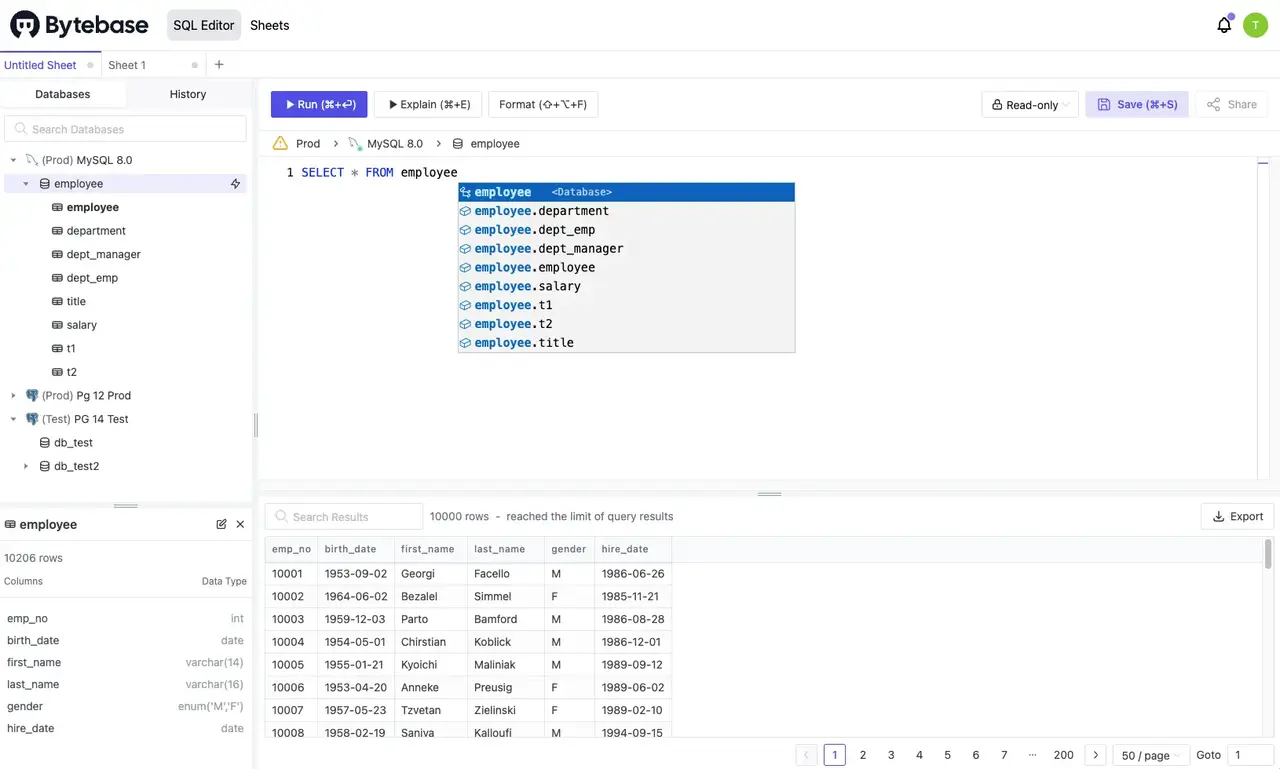
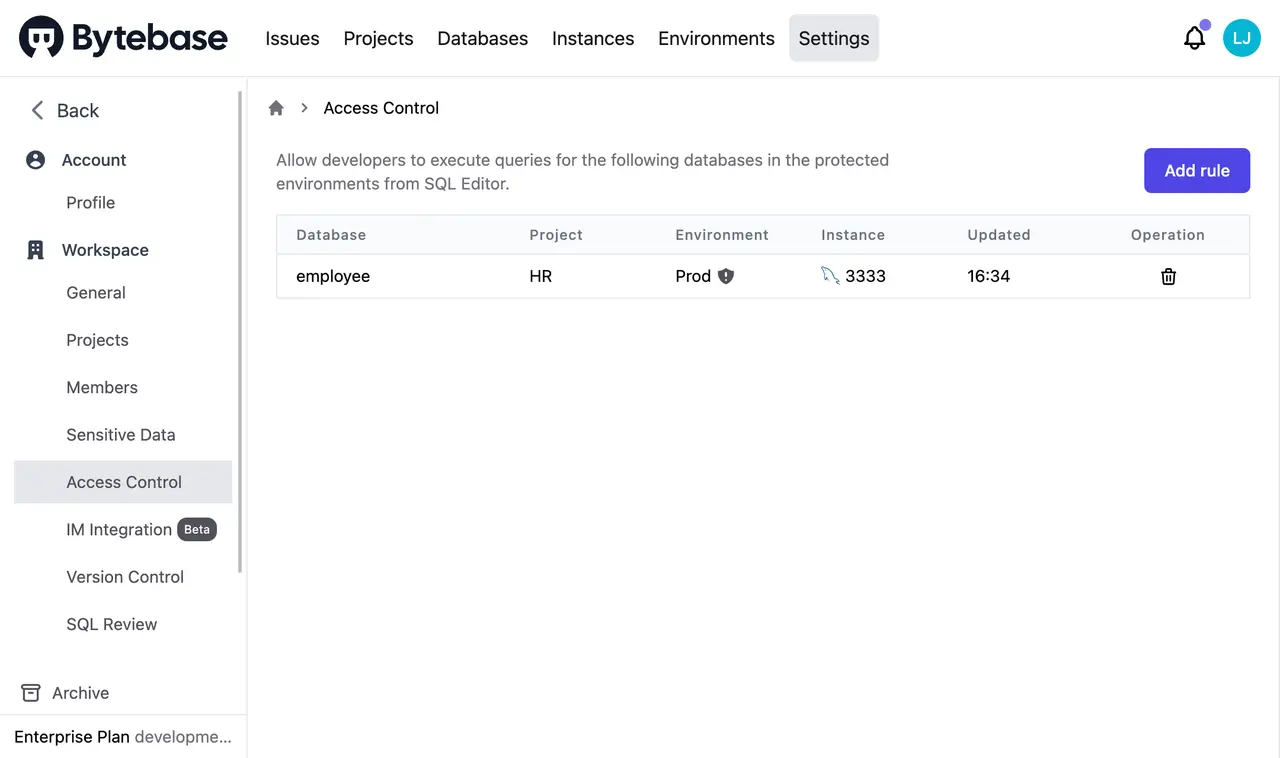
Bytebase: The DBA configures the instances once in Bytebase, grants per-developer roles, and developers log in via SSO. Queries run through Bytebase's SQL Editor — no database credentials leave the server. Revocation is a single click. Result: Centralized access with full audit trail; onboarding and offboarding are operations on Bytebase, not on the database.
Use Case 2: Reviewing a Production Schema Change
Scenario: A developer needs to add a non-null column and backfill data on a 50M-row table in production.
Navicat: The developer writes the ALTER TABLE and UPDATE in Navicat's SQL editor and executes against production directly. Coordination happens out of band — a Slack message, a Jira ticket, or a verbal review. A wrong WHERE clause is one keystroke away from disaster.
Result: Maximum speed, minimum safety. Mistakes are immediate and unrecoverable.
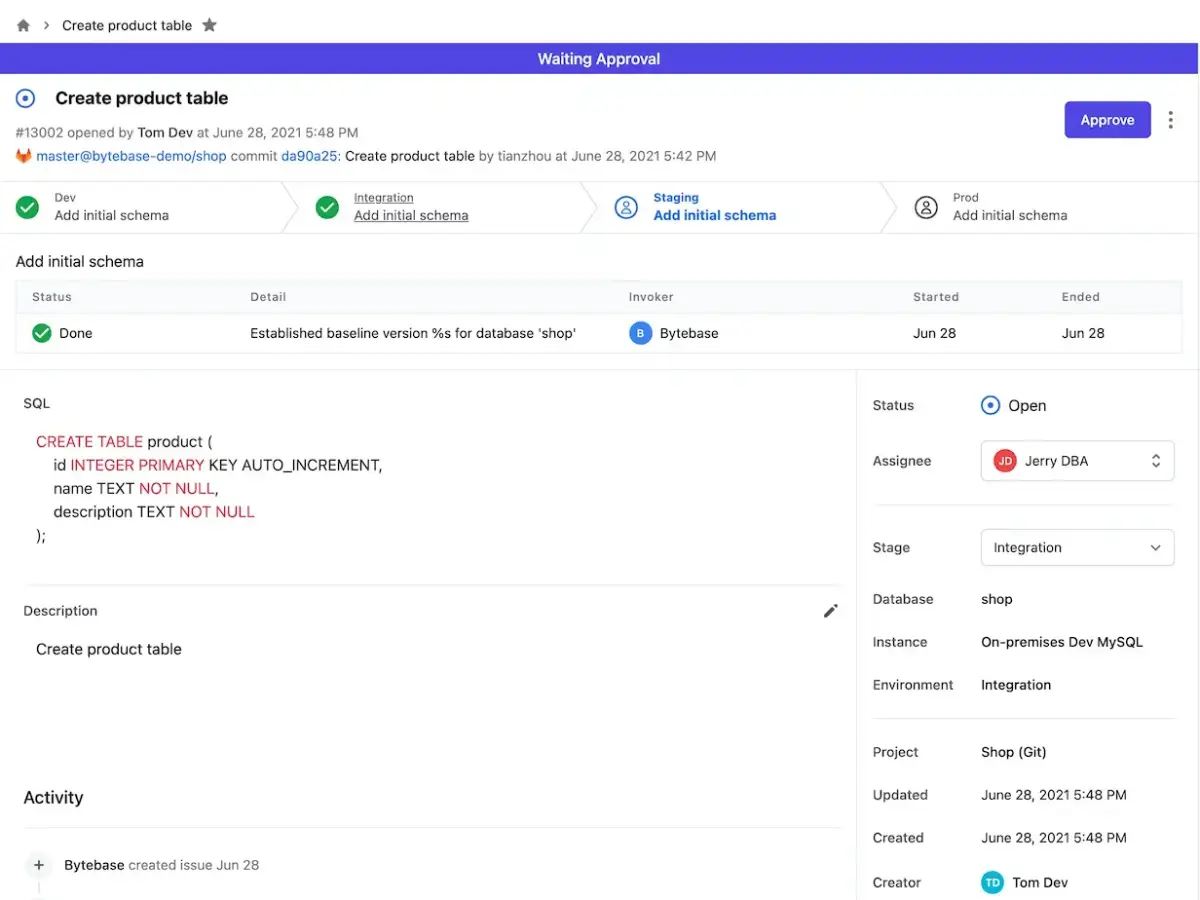
Bytebase: The developer submits the change as an issue. Bytebase's SQL review policy flags the missing WHERE automatically; a DBA approves the migration; Bytebase runs it against staging, then production, recording every step.
Result: Reviewable, replayable, auditable — the change passes through the same kind of pipeline code does.
Use Case 3: Letting Support Engineers Query Customer Data
Scenario: A support team needs to look up customer records in production, but PII must not be exposed.
Navicat: Support engineers get read-only database credentials. They see every column in full, including emails, phone numbers, and payment metadata. The only options are "give them access" or "don't." Result: Either over-exposure or a ticket queue routed through the DBA.
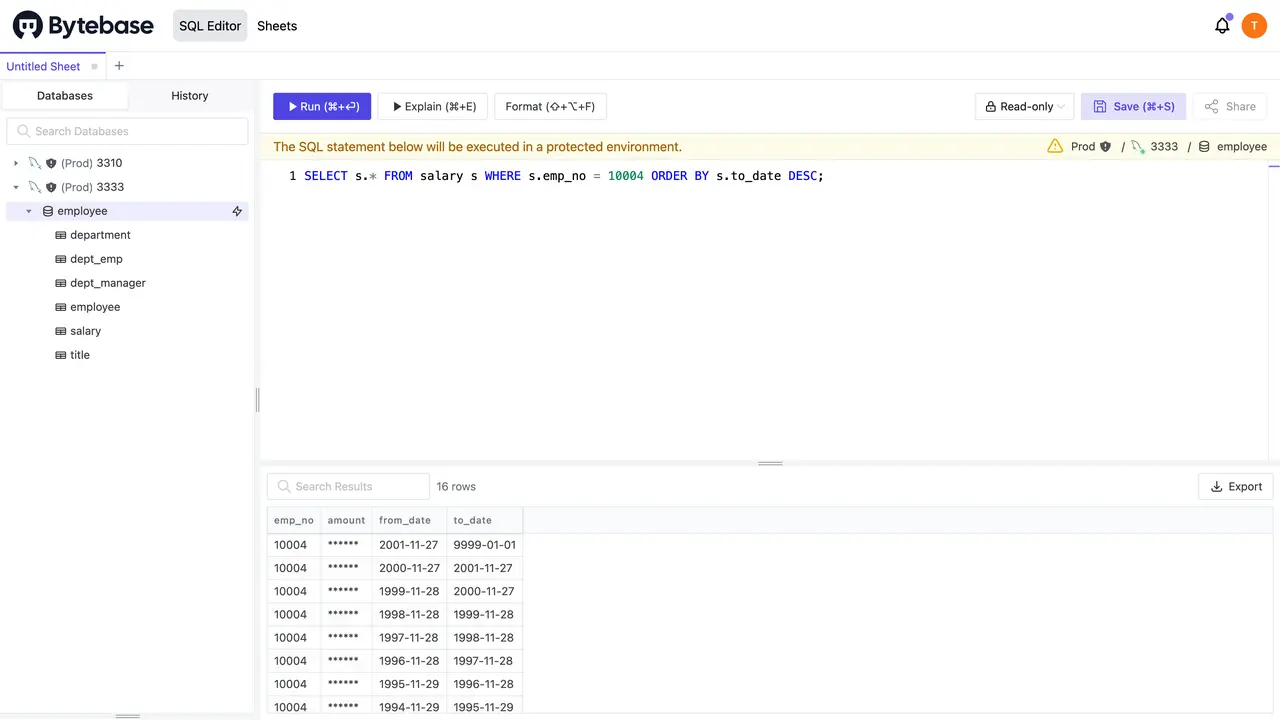
Bytebase: The DBA configures column-level masking policies. Support engineers query through Bytebase's SQL Editor; PII columns return masked values automatically. Every query is logged with the engineer's identity. Result: Self-service access with PII protected at the query layer, not at the application layer.
What Navicat and Bytebase Have in Common
Despite their different approaches, both platforms share several core capabilities:
- Multi-database support: Both connect to the major relational engines and MongoDB
- SQL editor with results grid: Syntax highlighting, query execution, result browsing
- Schema browsing and editing: Table, view, index, and constraint management
- Data import/export: CSV, SQL, and other common formats
- Visual query results: Sortable, filterable grids over query output
Navicat's Strengths: Where It Truly Excels
- Mature Desktop UX: Two decades of refinement — ER diagrams, visual query builder, data modeler, schema sync, all polished and stable
- Offline-First: The application is self-contained; no server, no network dependency beyond the database connection itself
- Breadth of Local Tooling: Backup scheduling, data transfer between databases, import/export wizards, and report builders all ship in a single binary
- Single-User Speed: For one person operating a database they own, there is no review layer, no approval queue — just direct access
- Low Operational Overhead: Install the app, enter credentials, work — no infrastructure to maintain
Bytebase's Strengths: Team Collaboration and Governance
- Centralized Credential Management: Database credentials never leave the Bytebase server. Developers authenticate to Bytebase via SSO; Bytebase authenticates to the database. Eliminates the credential sprawl that comes with desktop clients.
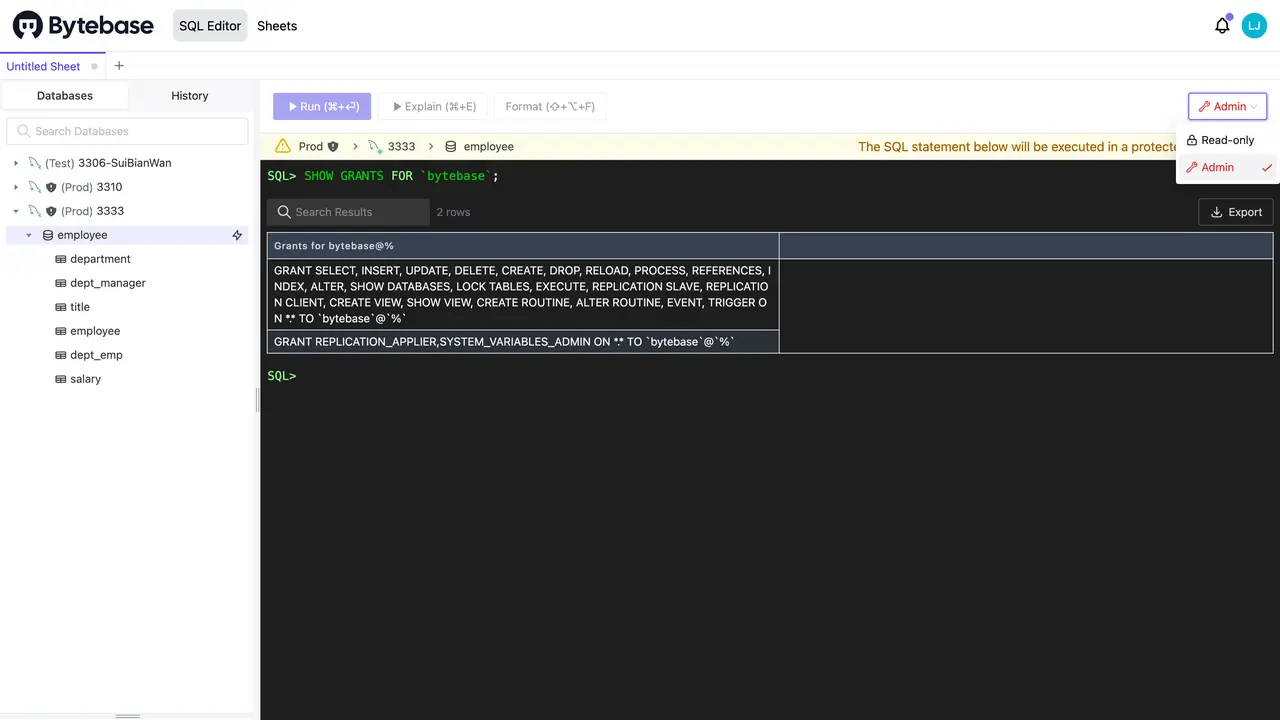
- Fine-Grained Access Control: Grant access to specific databases, schemas, or tables within an instance — not just "the whole server or nothing"
- Data Masking: Column-level masking policies protect PII at the query layer, with no application changes required
- Change Review Workflow: Every schema and data change passes through review, lint, and approval before reaching production
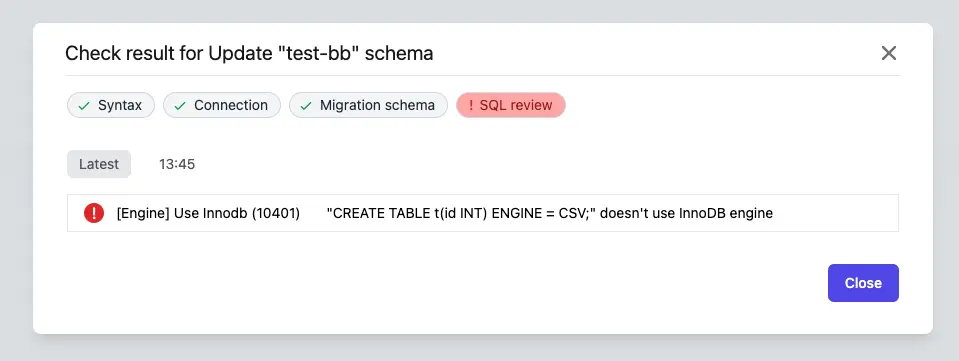
- SQL Review Policy: Automated checks for missing
WHEREclauses, missing indexes, unsafe DDL, and dozens of other anti-patterns
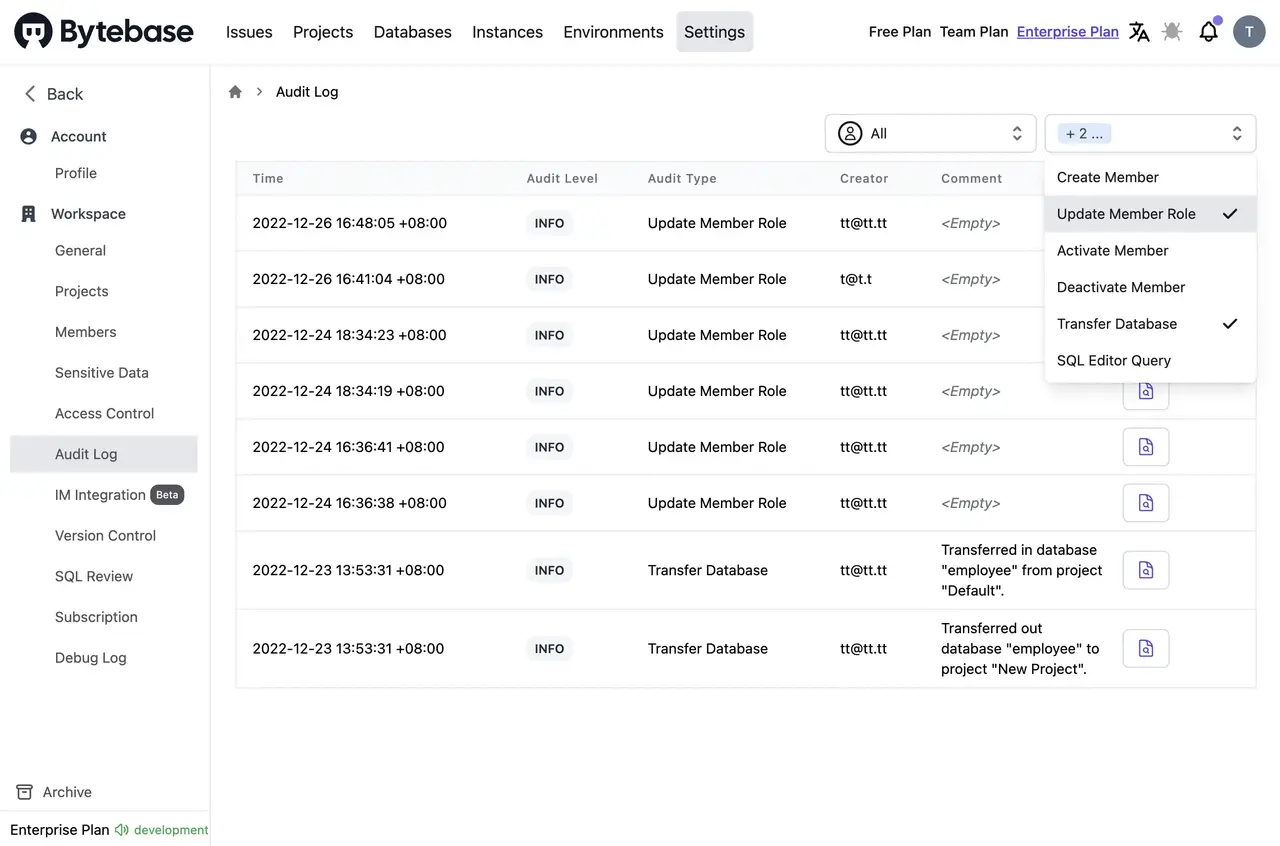
- Comprehensive Audit Log: Every query, every change, every approval recorded with user identity — the answer to "who did what" is always one filter away
- GitOps Integration: Schema migrations live in your repository; merging a PR triggers the deployment pipeline through Bytebase
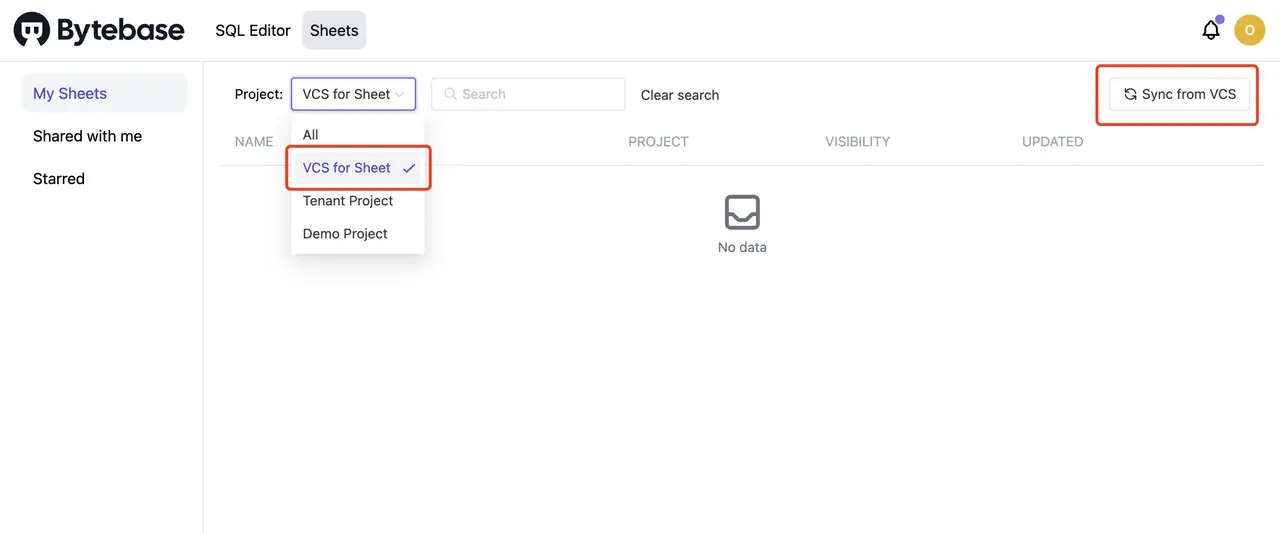
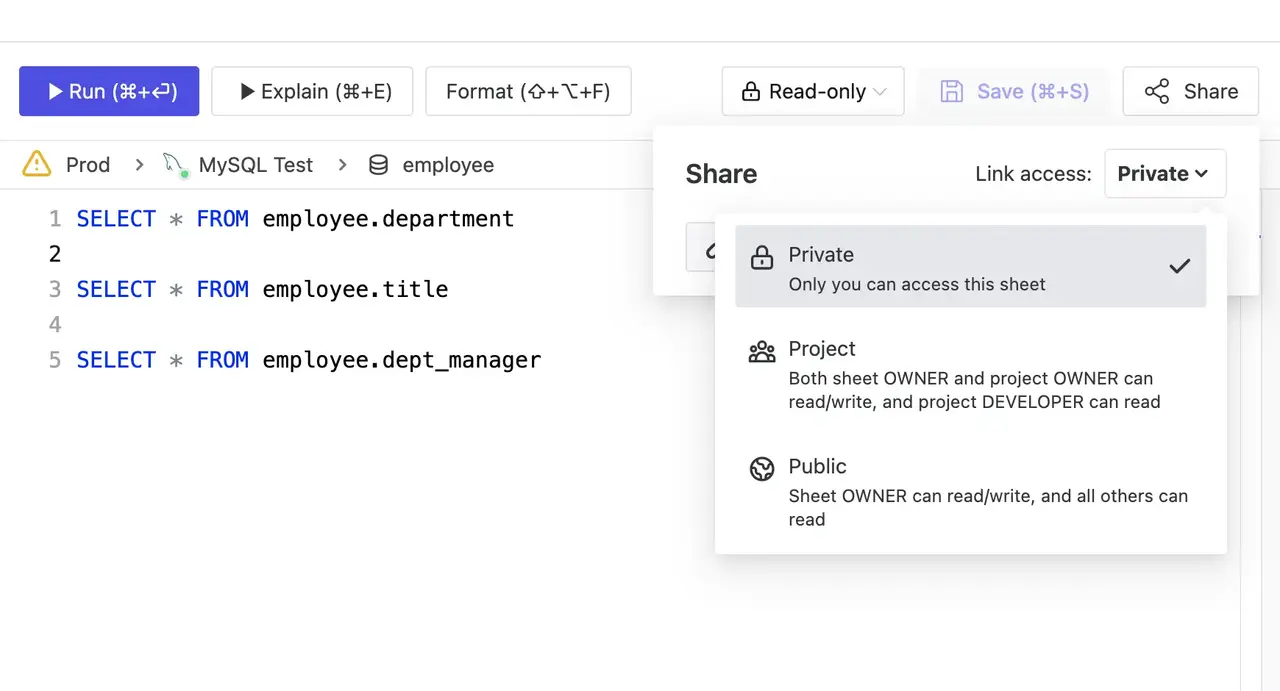
- Shared Query Library: Save and share SQL across the team — the team's collective knowledge instead of scripts scattered across laptops
Making the Right Choice
Core Trade-off: Navicat prioritizes individual productivity on a desktop with direct database access. Bytebase prioritizes team collaboration and governance with centralized access and review workflows.
Choose Navicat When:
- You are operating a database alone or in a very small team
- Direct, unmediated database access is acceptable
- There are no compliance or audit requirements
- Offline desktop work matters more than collaboration
Choose Bytebase When:
- Multiple people touch the same databases
- Database credentials should never be distributed to individuals
- Schema and data changes need review, approval, and audit
- DevOps integration and automated workflows are priorities
- Compliance (SOC 2, ISO 27001, HIPAA, PCI-DSS) is in scope
Conclusion
Navicat excels as a sophisticated single-user desktop database client with mature tooling and excellent individual productivity. Bytebase focuses on team collaboration, database DevOps, and governance. The choice depends on whether the work is owned by one person — where Navicat's direct, unmediated access is an advantage — or by a team, where centralized control, review workflows, and audit trails are required.
In addition, Bytebase is open source and adopts a usage-based pricing model.