PopSQL is a collaborative SQL editor that shuts down on September 1, 2026. Bytebase is an open-source database governance platform whose SQL Editor covers the same shared-query workflow, plus the governance around it.
PopSQL and Bytebase both give a team one web editor and one query library instead of .sql files scattered across laptops. The overlap ends there. PopSQL was built for analytics collaboration: charts, dashboards, scheduled queries, real-time co-editing. Bytebase is built for governed database access: who can query what, which columns are masked, what an auditor sees afterward.
The comparison has a deadline. TigerData (formerly Timescale) acquired PopSQL in April 2024, moved it to limited support in September 2025, and deletes all data when it shuts down on September 1, 2026. So the question is not which to adopt; it is whether Bytebase covers what your team used PopSQL for.
What Bytebase and PopSQL have in common
- Web-based SQL editor with schema browsing and autocomplete.
- A shared, searchable query library scoped to the team, not the laptop.
- Centralized connections: members query through the platform instead of managing per-machine credentials.
- Coverage for the common engines: PostgreSQL, MySQL, SQL Server, Snowflake, BigQuery, ClickHouse, and more.
Key differences between Bytebase and PopSQL
| PopSQL | Bytebase | |
|---|---|---|
| Status | Shuts down September 1, 2026 | Actively developed |
| Product position | Collaborative SQL editor | Database governance platform |
| Deployment | Cloud service (web + desktop app) | Self-hosted (Docker/K8s/binary) or cloud |
| Supported databases | 12, analytics-leaning | 25, OLTP + NoSQL + warehouses |
| Shared query library | ✅ Folders, search | ✅ Project worksheets |
| Real-time co-editing | ✅ | ❌ |
| Charts and dashboards | ✅ Dashboards | Result charts only |
| Scheduled queries | ✅ | ❌ |
| Access control | Shared connections with roles | ✅ Database/table-level, Just-in-Time access |
| Data masking | ❌ | ✅ Dynamic, column-level (Enterprise plan) |
| Audit log | ❌ | ✅ Pro plan and above |
| Schema change workflow | ❌ | ✅ Review, approval, SQL lint (200+ rules) |
| Open source | ❌ | ✅ |
| Pricing | N/A (winding down) | Free Community; paid Pro and Enterprise plans |
Product position
-
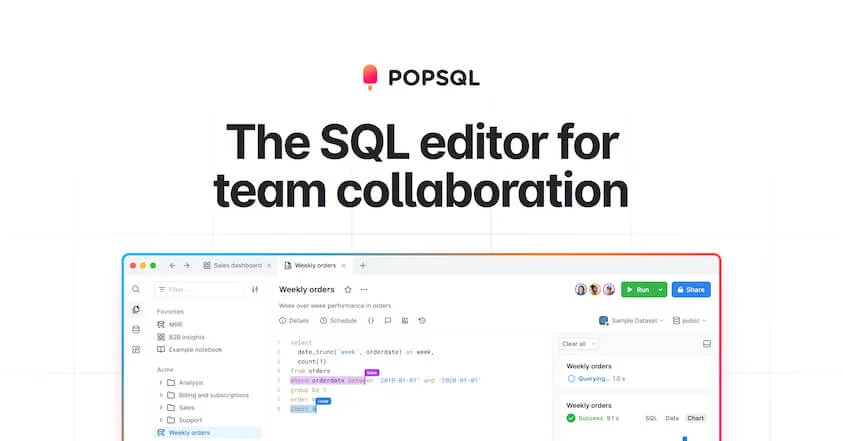
PopSQL: A collaborative SQL editor for analytics work: write a query together, chart the result, pin it to a dashboard, schedule it to Slack. Governance never went deeper than workspace roles and shared connections.
-
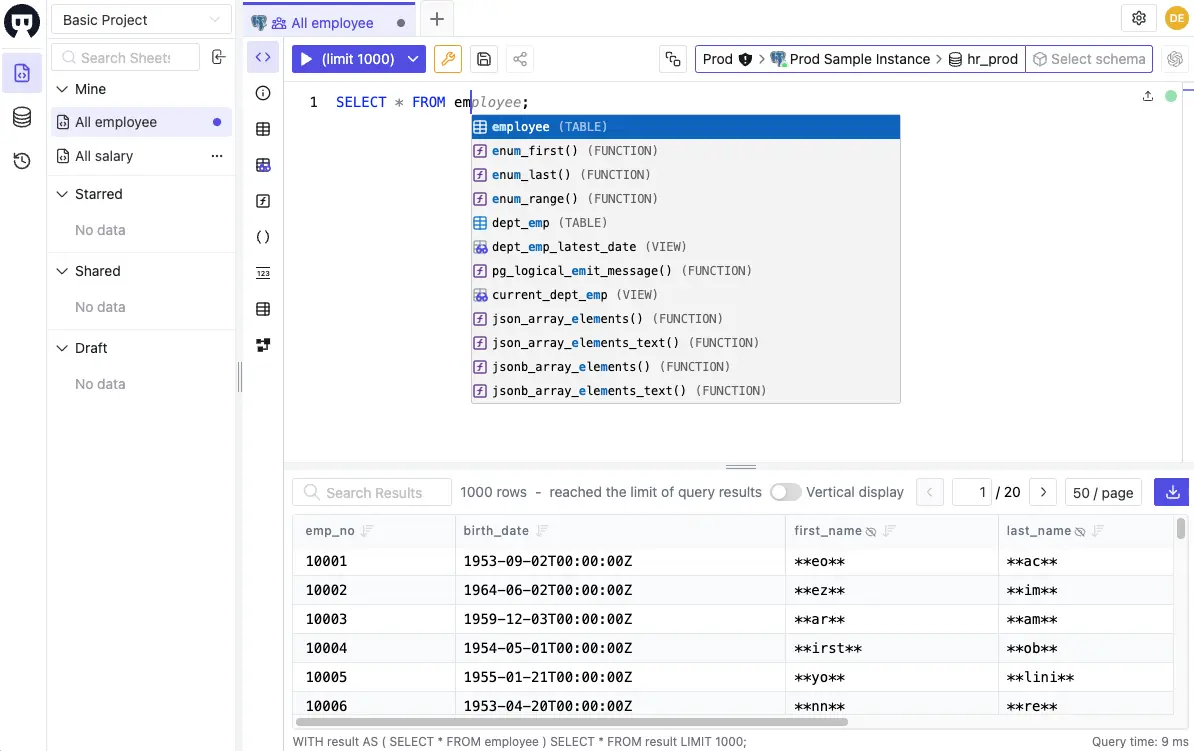
Bytebase: A database governance platform. The SQL Editor covers everyday querying, and the platform around it handles access requests, data masking, schema change review, and audit logging across every connected database.
Deployment
-
PopSQL: Cloud-only. Queries route through PopSQL's servers; the desktop app is a client to the same service. That architecture is why the shutdown deletes everything: the query library lives on their side.
-
Bytebase: Self-hosted by default: a single Go binary, a Docker image, or a Helm chart. Queries and metadata stay inside your network; a hosted Cloud option exists. Open source, so the exit path is plain files and a binary you control.
Supported databases
-
PopSQL: 12 connectors, leaning analytics: PostgreSQL, MySQL, SQL Server, Snowflake, BigQuery, Redshift, ClickHouse, Athena, Azure Synapse, Presto, Trino, and TigerData.
-
Bytebase: 25 engines: 9 RDBMS (MySQL, PostgreSQL, Oracle, SQL Server, MariaDB, TiDB, OceanBase, CockroachDB, Spanner), 6 NoSQL (MongoDB, Redis, Cassandra, DocumentDB, DynamoDB, Cosmos DB), 9 warehouses (Snowflake, BigQuery, Redshift, ClickHouse, Databricks, Hive, StarRocks, Doris, Trino), and Elasticsearch. Depth varies by engine: mainstream ones like MySQL and PostgreSQL get the deepest support (SQL review rules, schema sync, data masking), while the rest cover querying and change deployment.
Query and collaboration
-
PopSQL: The strongest collaboration on either side: real-time co-editing with visible cursors, query version history with diffs, inline comments.
-
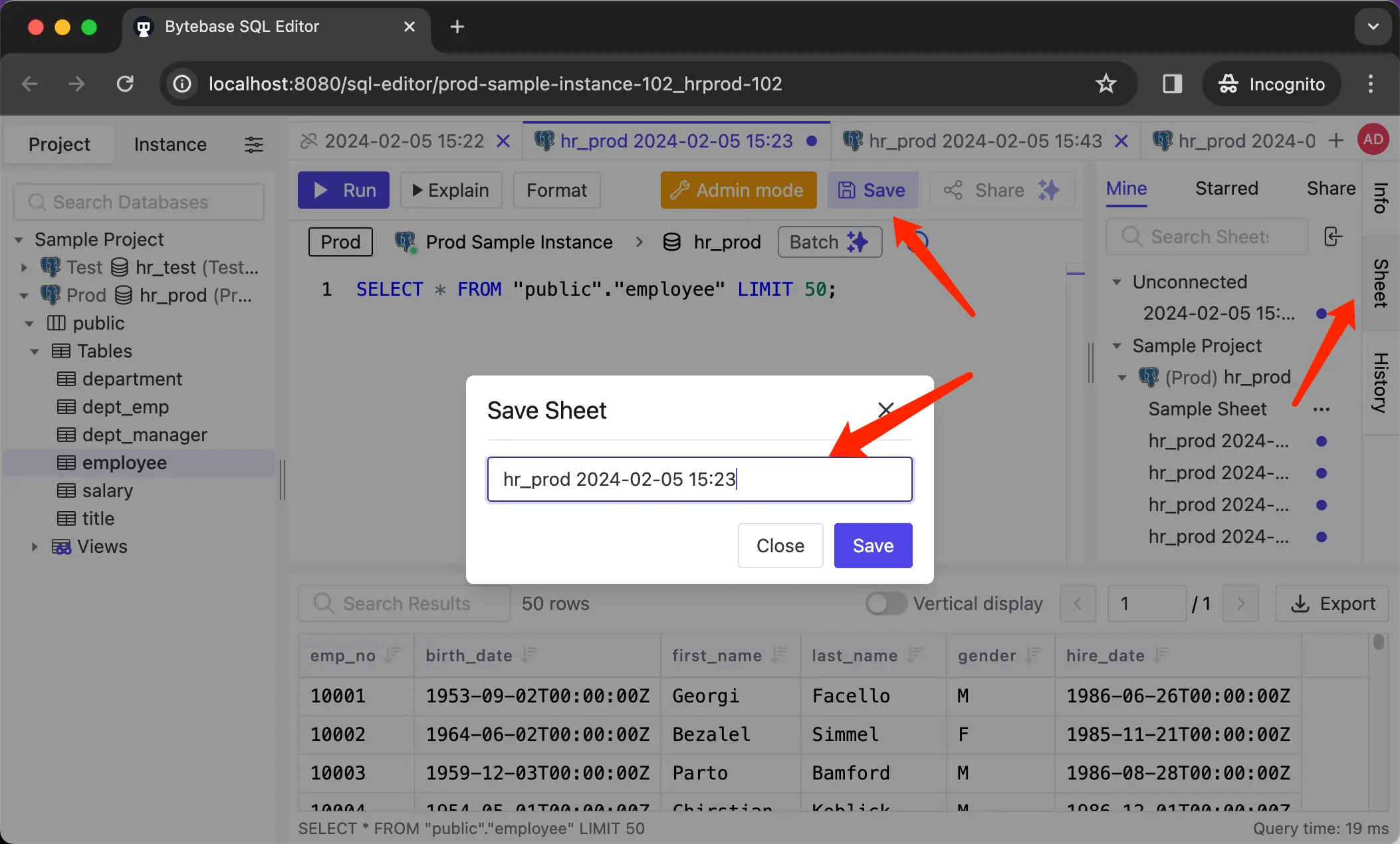
Bytebase: Worksheets are saved and shared within a project, so the team query library carries over. Sharing is at the worksheet level, not the keystroke level: no multiplayer cursors, and access follows project membership.
Charts and schedules
-
PopSQL: Built-in charts, lightweight dashboards, query variables for self-serve reports, and scheduled runs pushed to Slack or email. For many teams, this BI layer was the main reason PopSQL stuck.
-
Bytebase: Query results render as charts inside the SQL Editor, but there are no dashboards and no scheduled queries. If dashboards were your primary PopSQL use, pair Bytebase with a BI tool like Metabase, or start with the BI tool.
Access control
-
PopSQL: Shared connections with workspace roles. Sharing a connection shares the credential's full power: whatever that database user can read, every member on the connection can read.
-
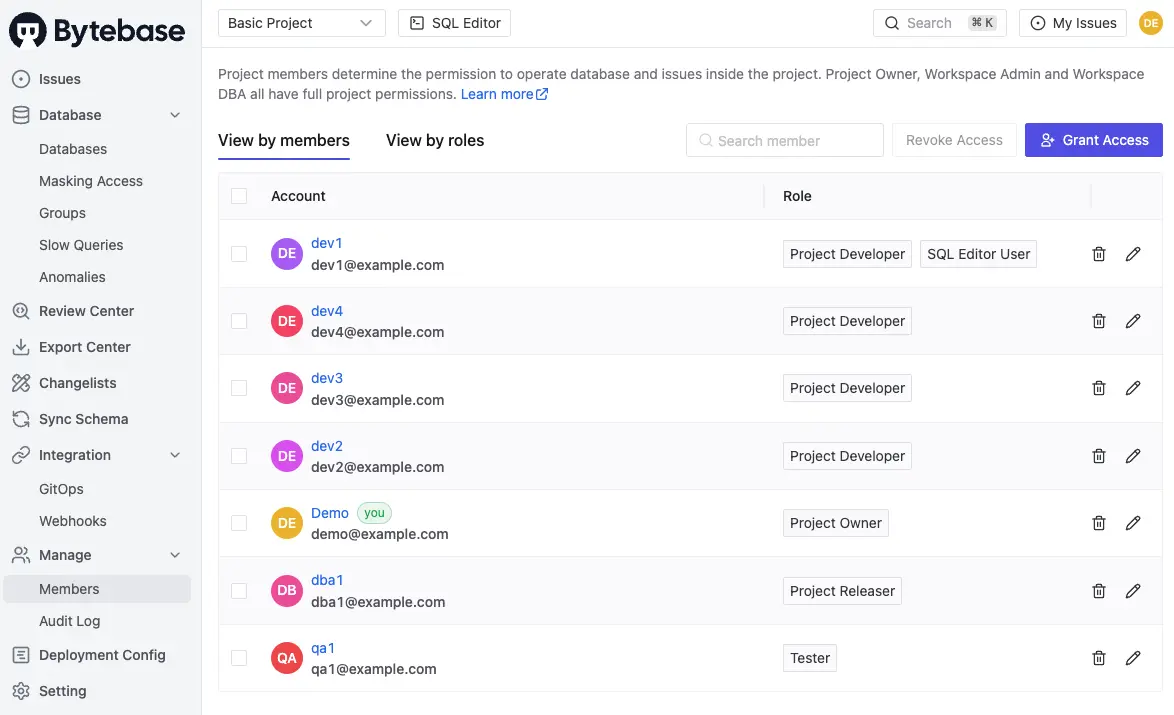
Bytebase: Users never see database credentials. Database permissions are granted per project, database, or table; developers can request Just-in-Time access that expires automatically; environments carry different policies, for example read-only on production.
Data masking
-
PopSQL: None. Query results show whatever the shared connection can see, including PII.
-
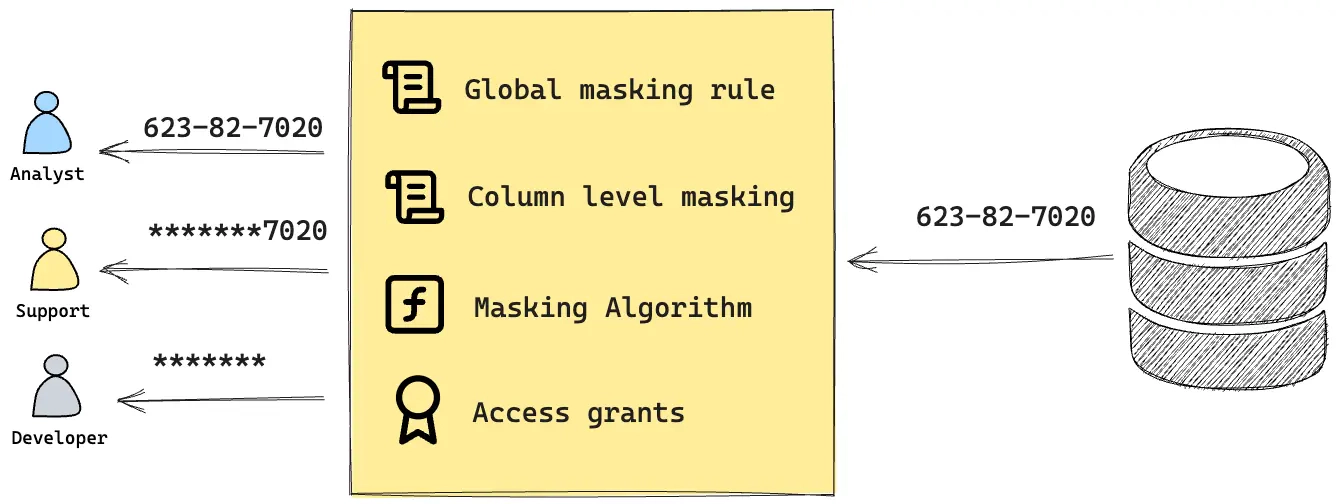
Bytebase: Dynamic data masking at the column level (Enterprise). Queries return masked values unless the user is explicitly authorized; semantic types (email, phone, SSN) apply the same rule consistently across schemas.
Audit log
-
PopSQL: No audit trail of who ran what. When a SOC 2 or PCI auditor asks "who queried production last quarter?", the workspace has no answer.
-
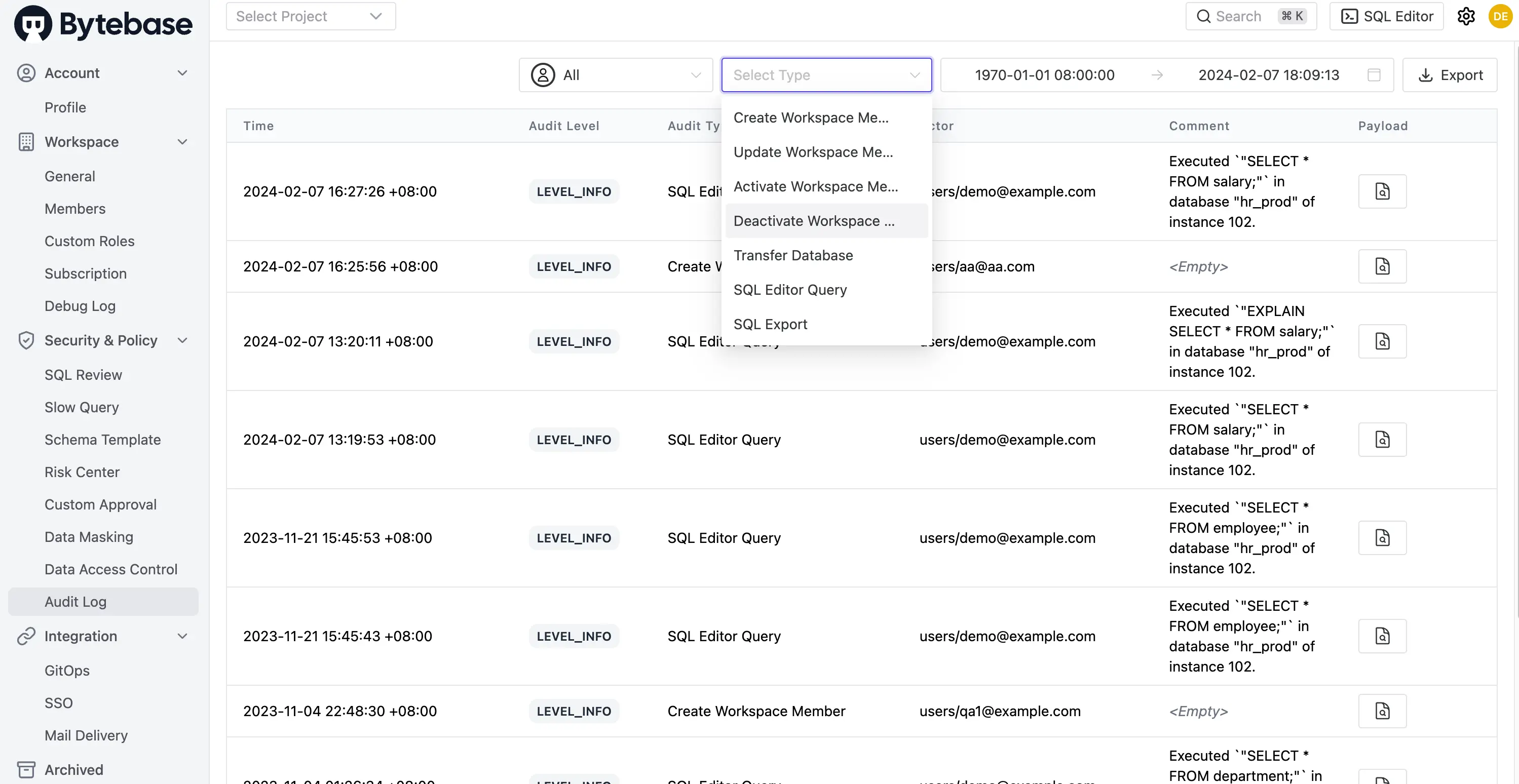
Bytebase: The audit log (Pro and above) records every query, change, approval, and policy edit. Filter by user, action, or time range; export for SIEM ingestion.
Schema change workflow
-
PopSQL: Out of scope. DDL typed into the editor runs like any other query.
-
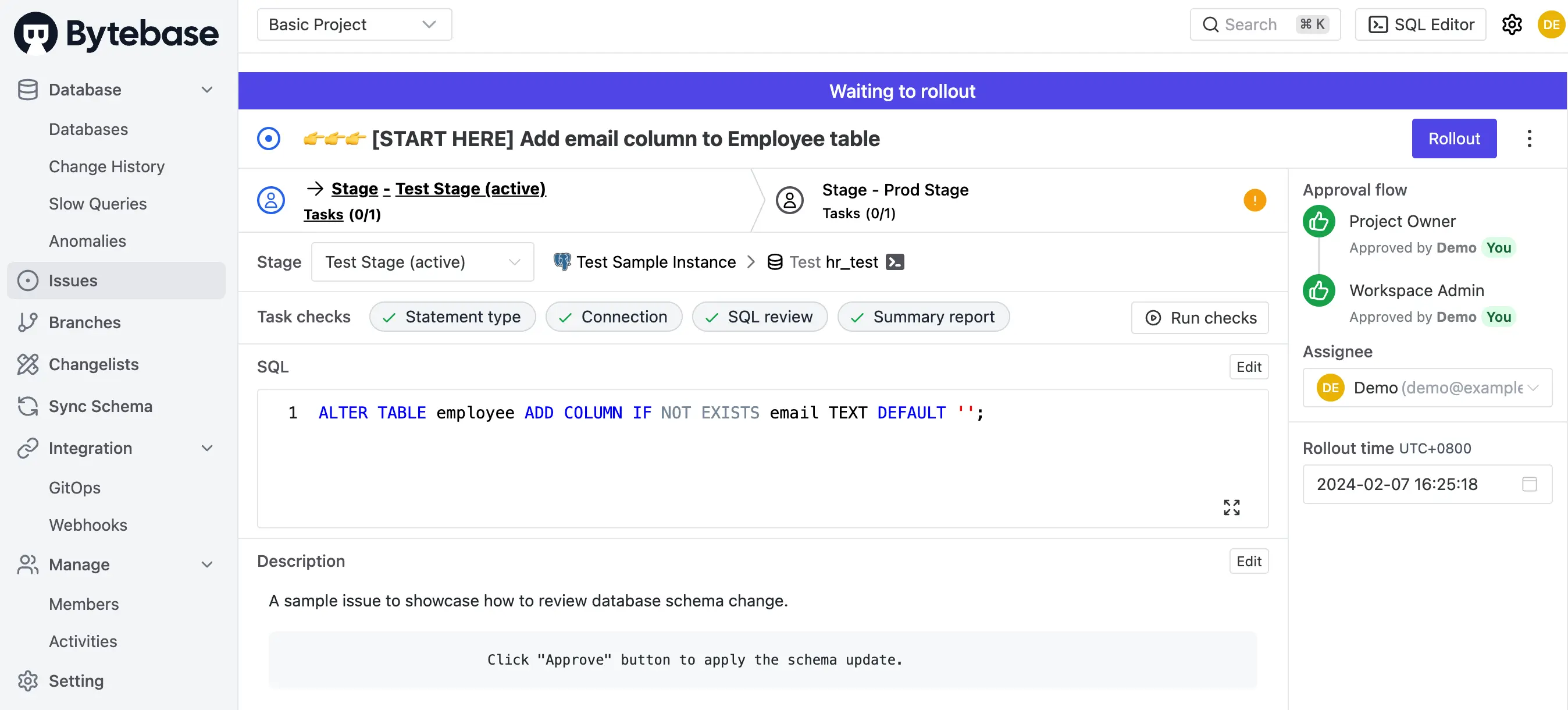
Bytebase: Schema changes flow through an issue, like a pull request for the database: automated SQL review with 200+ rules, custom approval flows, full change history with rollback scripts. Ad-hoc DDL typed into the SQL Editor is redirected into that workflow.
Pricing
-
PopSQL: Winding down; the practical price is the migration itself.
-
Bytebase: Community is free and self-hosted, up to 20 users and 10 instances, and includes the SQL Editor, shared worksheets, SQL review, and the change workflow. Pro adds SSO, audit log, and user groups. Enterprise adds dynamic data masking, database/table-level access control, Just-in-Time access, and custom approval flows.
When Bytebase is the right landing spot
- PopSQL was the shared home for your SQL, and you also need access control, masking, or an audit trail, whether for SOC 2, PCI, GDPR, or a DBA tired of handing out credentials.
- You want the replacement self-hosted and open source, so no vendor shutdown forces the next migration.
- Schema changes and ad-hoc queries travel the same ungoverned path today, and you want changes reviewed and approved.
When it is not
- Dashboards and scheduled queries were the point. A BI tool such as Metabase is the honest replacement for that half of PopSQL, often paired with Bytebase for governed access.
- Real-time multiplayer editing is essential to how your analysts work. Bytebase shares worksheets, not live cursors.
FAQ
Can Bytebase import my PopSQL queries directly?
There is no one-click importer. Export via PopSQL's GitHub Sync to plain .sql files, then save the active ones as worksheets in the relevant Bytebase project.
Does Bytebase have a desktop app like PopSQL?
No. Bytebase is web-based: deploy once, everyone uses the browser. No per-machine install or driver setup.
Is the free Community plan enough to replace PopSQL?
For the core workflow, yes: SQL Editor, shared worksheets, and the schema change workflow are all in Community (up to 20 users, 10 instances). Audit log arrives with Pro; masking and fine-grained access control with Enterprise.
We only used PopSQL for dashboards. Should we still look at Bytebase?
Not as the dashboard replacement. Pick a BI tool for that. Teams add Bytebase when the second problem shows up: too many people holding production credentials with no record of what they run.