This post is maintained by Bytebase, an open-source database governance platform. We update the post every year.
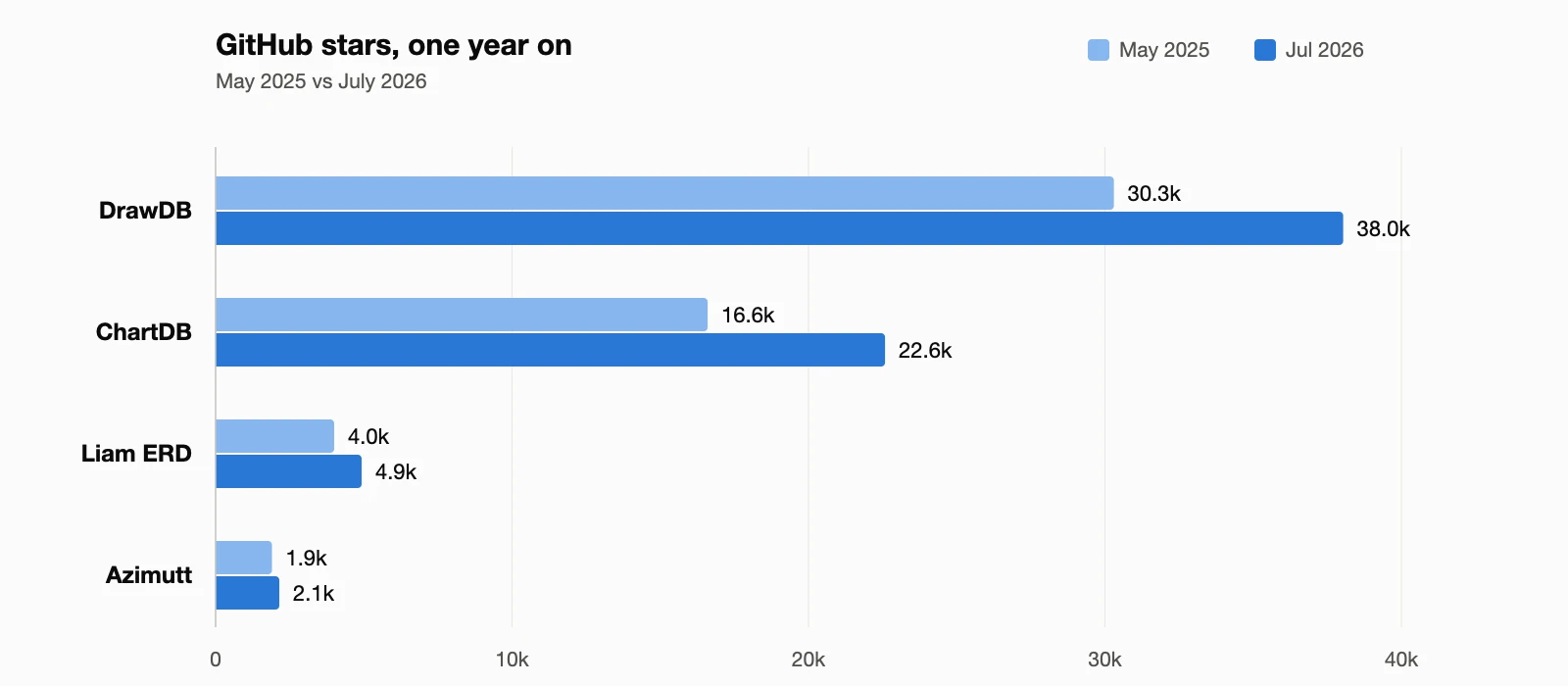
A schema diagram answers questions that raw DDL cannot: how tables relate, where the foreign keys point, what a change will touch. The four open-source tools below generate or edit those diagrams for free, each with a different workflow. All four remain actively maintained, and all four grew since our 2025 edition:
DrawDB
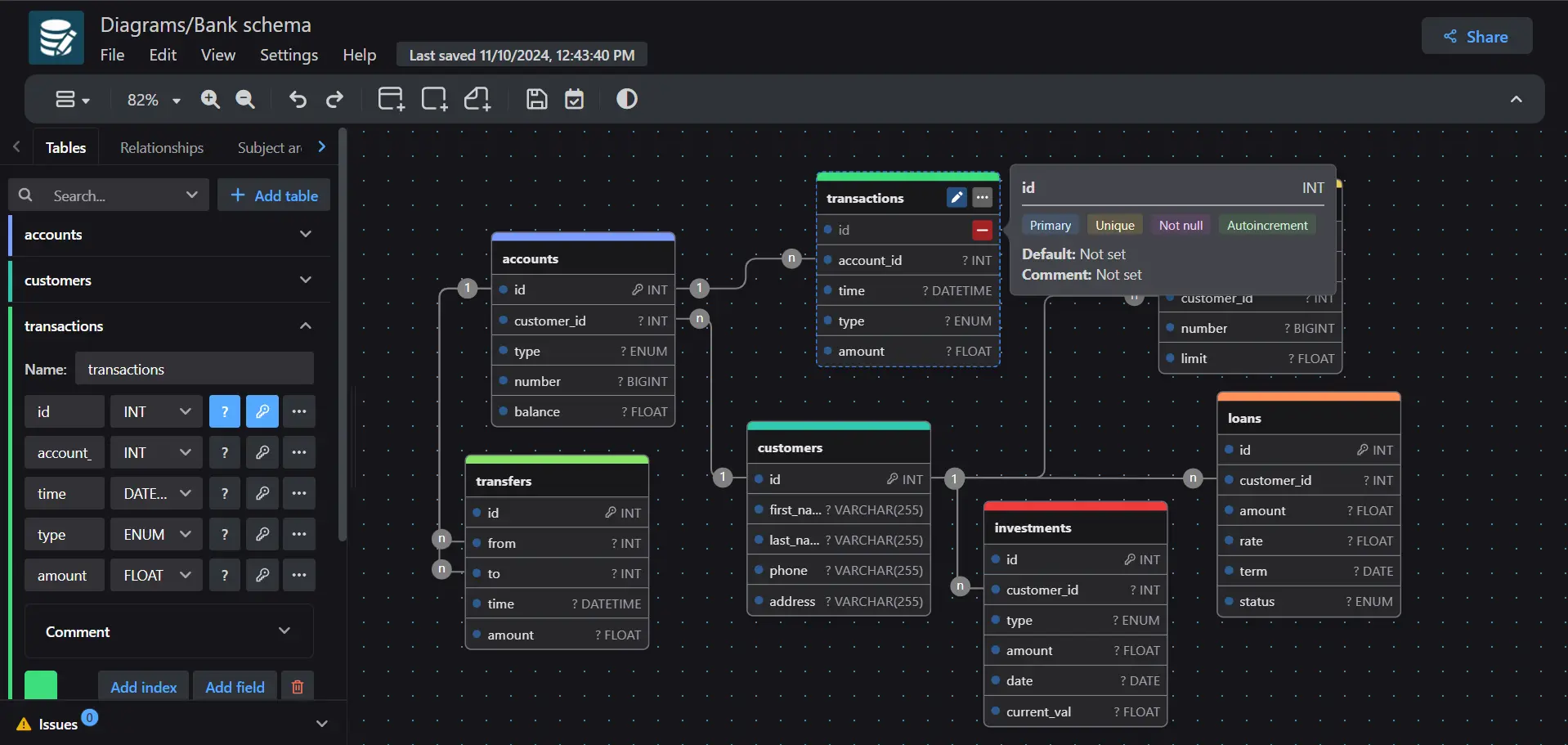
DrawDB is a free, browser-based database diagram editor with a drag-and-drop interface. You design ER diagrams visually, then export SQL scripts for MySQL, PostgreSQL, SQLite, MariaDB, and SQL Server. No account required.
Key Features:
- Visual editor with import and export of SQL scripts
- Generates migration scripts from diagram changes
- Works offline (PWA-supported), self-hostable via Docker
GitHub Stats: 38k stars, 3.1k forks
Best For: Designing a schema from scratch, quickly
ChartDB
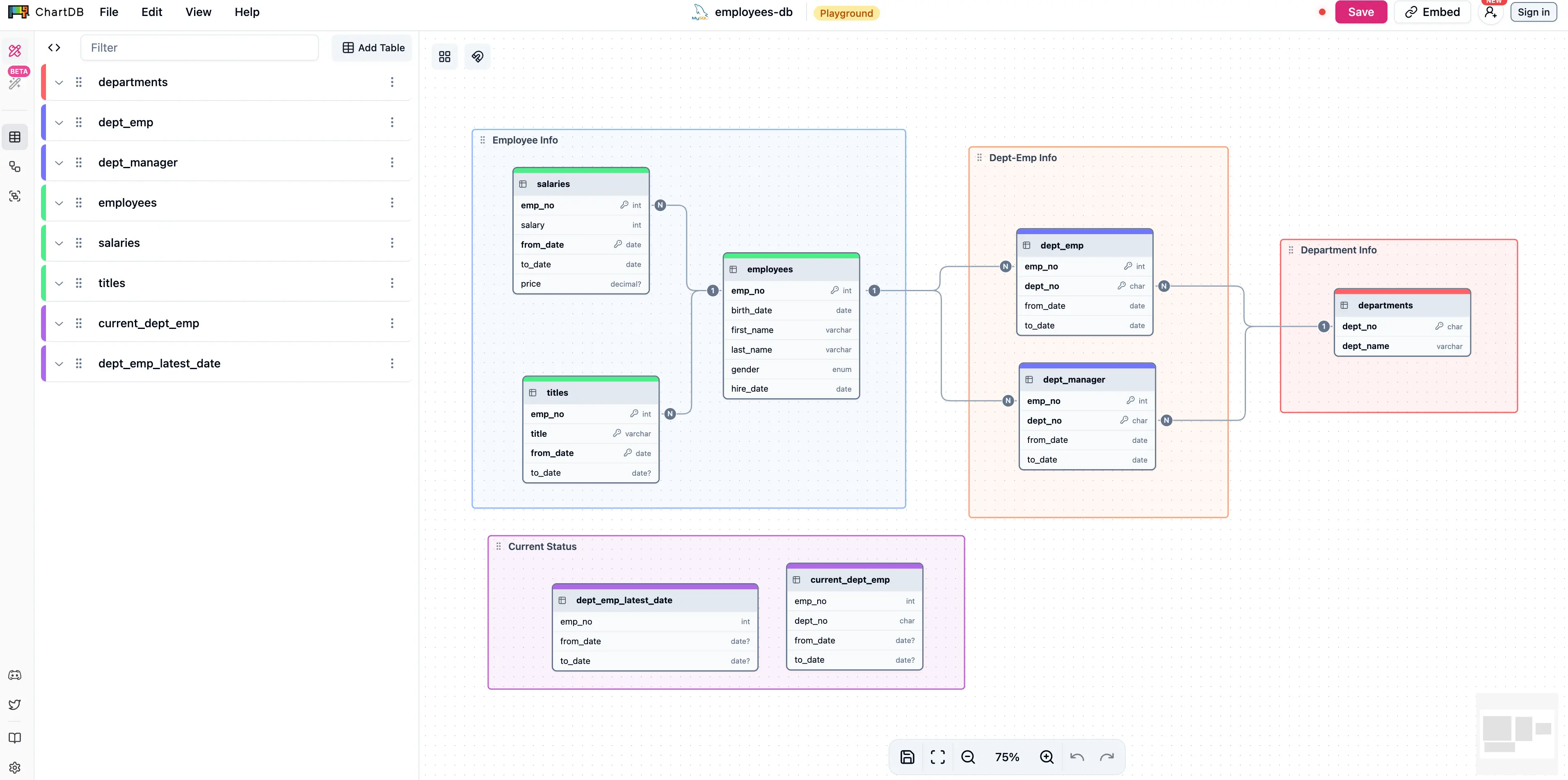
ChartDB works in the opposite direction: it visualizes a database you already have. One "Smart Query" pulls your schema out as JSON, and the diagram renders instantly; no credentials leave your machine. It is the most AI-forward tool on this list.
Key Features:
- Single-query schema import, no credentials shared
- AI diagram generation from a prompt; AI DDL export to another SQL dialect for migrations
- Supports PostgreSQL (plus Supabase and Timescale), MySQL, SQL Server, MariaDB, SQLite (plus Cloudflare D1), CockroachDB, and ClickHouse
GitHub Stats: 22.6k stars, 1.4k forks
Best For: Visualizing existing databases and cross-dialect migrations
Azimutt
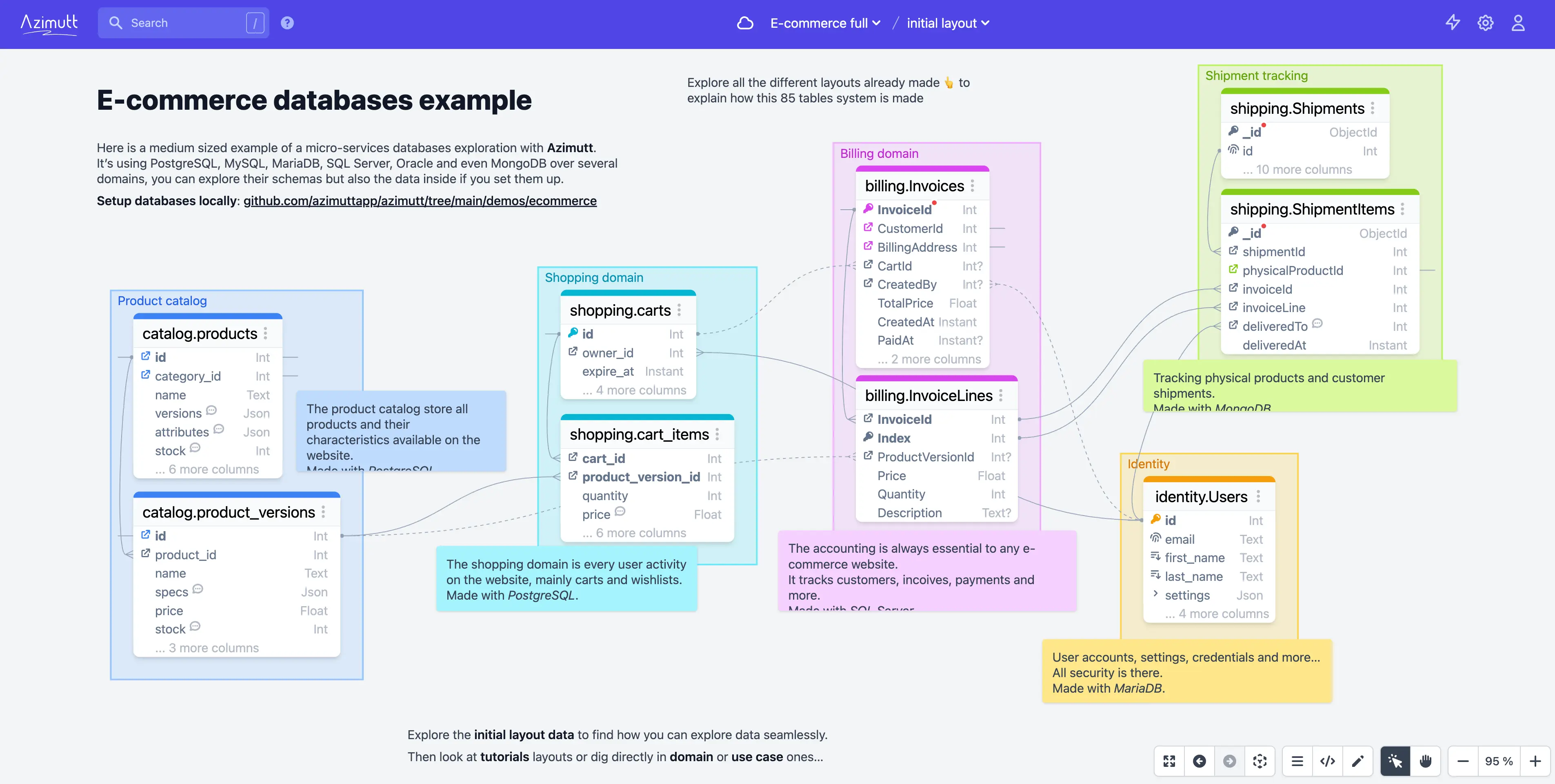
Azimutt specializes in exploring large, messy, real-world schemas. Instead of rendering every table at once, it lets you search, filter, and trace relationships across hundreds of tables, then document what you find.
Key Features:
- Search, filter, and follow table relationships interactively
- Supports SQL sources (PostgreSQL, MySQL, SQL Server, Oracle, and more) and NoSQL sources (MongoDB, Couchbase)
GitHub Stats: 2.1k stars
Best For: Enterprise-scale database exploration and documentation
Liam ERD
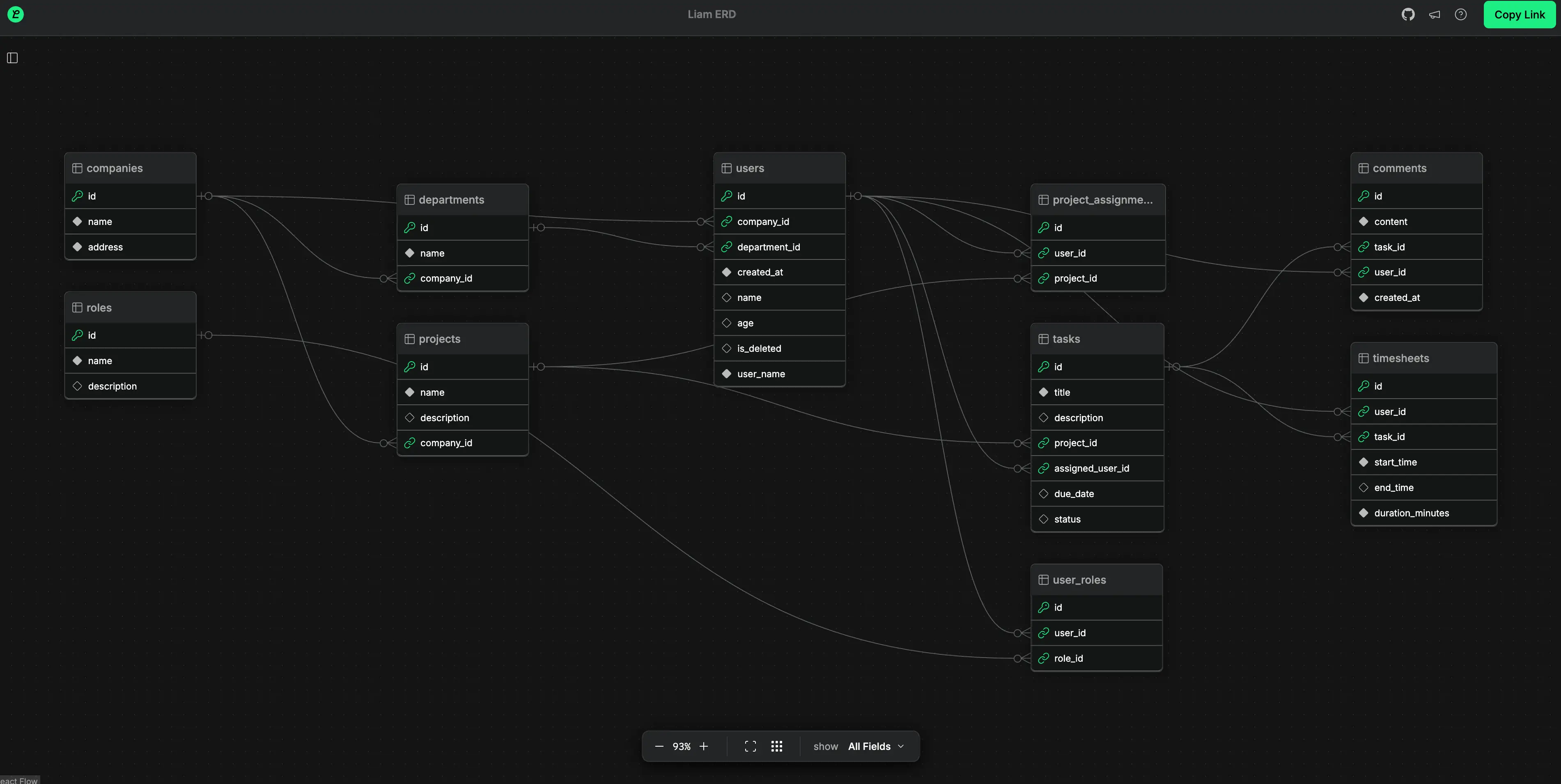
Liam ERD auto-generates interactive ER diagrams from schema files with zero setup. It has grown from its Rails and Prisma roots to 15+ formats (PostgreSQL, MySQL, SQL Server, Drizzle, BigQuery, Snowflake, and more), and its CLI regenerates the diagram in CI on every schema change, so documentation never drifts.
Key Features:
- Instant diagrams from schema files, handles 100+ table projects
- CLI for pipelines
- Open source under Apache 2.0
GitHub Stats: 4.9k stars
Best For: Auto-generated, always-up-to-date schema documentation
Key Options Compared
| Tool | Best For | Standout Feature | Database Support | GitHub Stars |
|---|---|---|---|---|
| DrawDB | Designing new schemas | Visual editor, no account needed | MySQL, PostgreSQL, SQLite, MariaDB, SQL Server | 38k |
| ChartDB | Visualizing existing databases | Single-query import, AI DDL export | 7+ relational engines | 22.6k |
| Azimutt | Large, complex schemas | Relationship search and tracing | SQL + MongoDB/Couchbase | 2.1k |
| Liam ERD | Auto-generated documentation | CI/CD-friendly CLI, zero config | 15+ schema formats | 4.9k |
Quick Recommendations
- Designing from scratch: DrawDB. The fastest editor, and the largest community by stars.
- Documenting an existing database: ChartDB for a quick visual, Liam ERD if you want it regenerated in CI on every change.
- Untangling a legacy schema: Azimutt. Built for the databases nobody fully remembers.
What About AI?
AI did not produce a new heavyweight diagram tool. It changed where diagrams come from, in two ways.
Prompt-to-diagram became a feature, not a product. ChartDB generates an editable ERD from a plain-language prompt, and its commercial competitors (DrawSQL, Eraser, Miro) all shipped the same capability.
The diagram became text, and coding agents speak it. LLMs natively emit Mermaid erDiagram blocks and DBML. For many teams the newest ERD tool is their coding agent: point it at the schema, get a diagram committed next to the code, and review schema changes as text diffs. The diagram below is exactly that: a Mermaid block in this post's markdown, rendered live on this page:
None of the tools on this list is required for that workflow. That is the most honest thing to say about AI and diagrams in 2026.